Using sops & age to manage environment variables
Managing env variables without a secret management mechanism specially for devs working on 10’s of different things and multiple repos. Once committed into any remote git forge it becomes a hurdle to remember which .env is of which project even after using password manager just a week later. So here comes the role of secrets management and the better way is to manage secrets in my view / the easiest way to let them live with your code. Thanks to time tested algorithms like AES256 and pgp which are not so easy to crack . Read what nist has to say about this. Tbh there is no one using something like pgp/gpg for encryption it’s more or less a paper tiger because of it’s hardness and no one barely knows how to use pgp. And to make pgp work you need the recipient to be able to decrypt the message. I doubt 99% of the people can’t even decrypt their own file after a week. So using pgp is a big no. It’s similar to loosing .env . There comes age as an encryption, it’s modern, robust easy to use and manageable asymmetric keys also age can even be used with your existing credentials like, ssh, Pgp type keys for encryption.
I am assuming that you are using some sort of *nix based operating system if not then at least use WSL(windows subsystem for Linux) to follow along.
Here we will be using a tool like sops(secret operations) .Sops is now a CNCF sandbox project and historically it’s been a project of people working at Mozilla, and later donated the project.
Sops can manage Yaml, Toml, dotenv, env.json.

But writing yaml files for config is something no one should be doing.
Why doing Gitops the hard way, also by not commiting enviornment variables you are not creating a reference so that others can collaborate on the project, SOPs is very selective at encryption it just encrypts the values not the keys.
So introducing mise my favourite tool nowadays to manage dev tools, tasks, handling environment variables, Generally it’s not recommended to pin “latest“ but i am doing so :(.
💡 To generate a mise.toml run `mise gen config` and choose tools you need from the Tui (terminal user interface)
[tools]
age = "latest"
sops = "latest"

[env]
SOPS_AGE_RECIPIENTS = "{your age recipients here}, {yet another recipient}"
_ = { file = "{ path = .env }" }

[tasks]
encrypt = "sops -e -i .env && mv .env .env.example"
decrypt = "mv .env.example .env && sops -d -i .env"
This is generally my overall workflow regarding secrets. BTW, the public key is shareable as it’s name, public,
export SOPS_AGE_KEYS="AGE_PRIVATE_KEY_HERE"
or, you can use
export SOPS_AGE_KEY_FILE="$HOME/.sops/age/keys.txt"
or
export SOPS_AGE_KEY_FILE="$HOME/.config/sops/age/keys.txt"
keep the contents of keys.txt safe in some password manager only .
AGE supports YubiKey, ssh-agent as a helpers too.
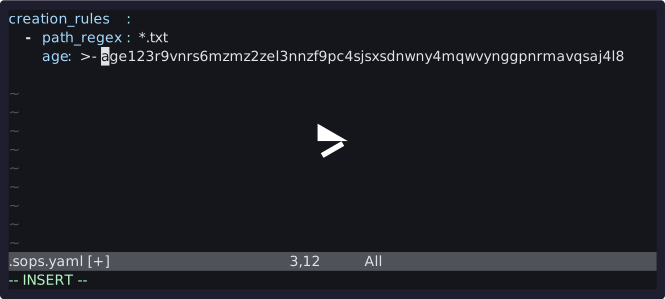
This is the workflow with sops configuration.
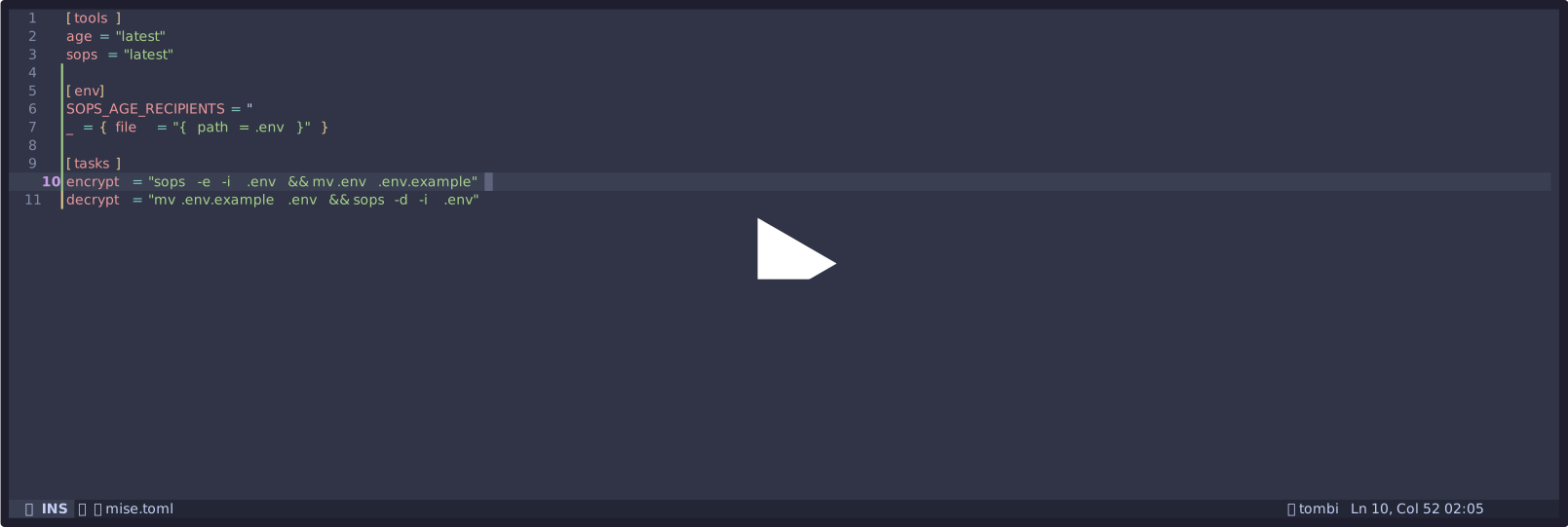
Using mise makes the process effortless notice the difference for yourself.
BTW, Congratulations on getting started with GitOps. Happy coding!