Navigating around bootc and immutable/atomic distros
So, as you all know I have been a Linux user for the past 5-6 years.
And have installed os 100s of times on my system because of kernel panics or some bad driver bricking my machine, this made me an avid distro hopper.
As I have already written about the approx timeline of my distro hopping, I’m not going to repeat it here.
I personally loved KDE Plasma, and its look and feel overall. The simplicity and customization options are something I loved the most
And Fedora has the best experience with KDE Plasma.
And for the past 1 - 1.5 years, topics related to DevOps, like KVM, docker-compose, and reproducible builds, sparked curiosity in me. I got a bit deep digging into containerization, and how containerization works with namespaces and cgroups is very interesting. Though Docker has become synonymous with containers itself. But all the container runtimes follow OCI specs (Open Container Initiative) .
Podman
Podman is a daemonless container runtime. This means Podman just runs the service and vanishes from the entire process tree; unlike containerd or Docker, we don’t need to run a containerd or dockerd daemon. With Docker, running killall docker /containerd just stops all your running containers by default.
Podman is specifically impressive because of its rootless nature. One can run any number of containers as an unprivileged user and perform privileged operations within the container, similar to a fake-root environment. Btw, this is the exact same approach used in tools like rootlesskit, very similar to ports in FreeBSD, or MacPorts on Apple.
Podman doesn’t run persistently on your system, making it incredibly memory efficient.
The toolchain is practically identical to Docker; you can use podman build, podman run, podman push, etc.
Furthermore, Podman’s build tool, Buildah, is noticeably faster, making it preferable for building images quickly and efficient specially in CI/CD environments.
I probably don’t need to give a re-introduction to containers; you already know that if you’re here.
Tools like Toolbox or Distrobox just utilize this exact approach of unprivileged containers sharing the host’s user space, specifically mounting
$HOME (like /home/user/).
TBH, I personally love the philosophy behind OSTree-based operating systems: the idea of atomic updates, either successful or failed, is the exact same reason making os tree virtually unbreakable.
The concept of layering here is brilliant. The base image is immutable, and any system changes are stored in a separate layer. This makes it incredibly easy to roll back to a previous state if something gets messed up. It gives you an unbeatable safety net, and the logic is identical to how standard OCI container images are layered.
But layering packages onto the host OS isn’t always the ideal thing to do. The best approach is to use a Toolbox container for installing and running your day-to-day apps.
You can create a random Toolbox container and install any app you want. No matter how many containers you spin up, if their base image is the same, they will share that underlying image and won’t cost you extra gigabytes in storage. Sharing that base layer saves disk space and makes managing multiple environments effortless.
But aren’t containers bloated? Don’t they cost you a lot of storage space (the container tax)? The answer is both yes and no. Yes, it does cache a lot of data, but the benefits are well worth the trade-off. You get a super solid base OS while keeping the flexibility of other distros. I’ve installed paru (the Arch User Repository helper) inside a Toolbox container, installed .deb and .rpm packages, and things just work.
Distrobox or Toolbox?
I want something easy. I don’t want to type toolbox enter every time I need to run a basic app.
As I’ve mentioned, Toolbox containers generally respect the host machine a bit more (plus PAM is shared with the host), but Distrobox is undeniably convenient because of the export feature like distrobox-export --app /usr/bin/ghostty and distrobox-export --bin /usr/bin/ghostty
But what if I share something that makes Toolbox just as convenient or better ?
curl -fsSL https://github.com/Pratyay360/toolbox-export/raw/refs/heads/main/install.sh | bash
Benefits of ostree ?
libostree or Ostree is like a version control system similar to git but for the entire os. It is a crucial component of your atomic distro. Either you update your machine reboot, update completes successfully or unsuccessfully.
Even after success, ostree based os can still rollback to the previous state if anything is not working. resetting your os back to previous commit just works. It’s too hard to mess with such a
resilient system. Specially if you are using, your own recipie to build os Though it’s hard to make a faulty container image. You can identify any flaws during the image build process.
So, is everything perfect with Toolbox containers?
- Networking related apps like wireshark, airmon-ng etc etc. and drivers don’t play nice; I am yet to use installed in containerd , though script evaluation is fast. Also, I’ve noticed apps installed via Distrobox often fail to honour the system theme, on the other side Toolbox respects the system theme + apps share the same secret store, in my case it’s kde wallet, and the apps I have installed in Toolbox never made me feel like they are alien to my system.
What if I don’t want the prepacked apps that comes with Fedora can i modify without pinning?
What if I want to remove Konsole and use Ghostty as my default without layering & pinning it onto my host os? I’ve actually run Ghostty installed inside an Arch Linux Toolbx as my default terminal, and it felt 100% native.
If you want absolute control on what softwares should be available on os and what not, I highly suggest making your own customized bootc image. Believe me, it is as easy as sipping a cup of tea thanks to tools like Bluebuild or OSBuild and the community around it.
I personally have 3 to 4 Toolbox images running continuously on my system, containing most of my daily apps.
One containing everything development related like ides, editors.
One containing all the media and specially CLI tools in a arch based toolbox. and another just for testing my apps. All my web browsers are downloaded via the arch toolbox.
And a Debian based toolbox just for testing my apps. and I use that ephemerally.
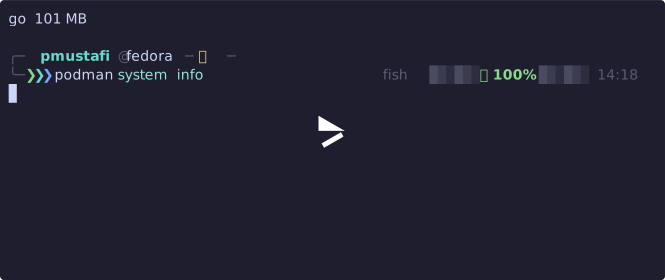
See the disk usage of my system by containers above.
By the way, I am a full stack developer. And I have a graveyard of dozens of late-night ideas, abandoned projects, and half finished stuffs. You can believe me when I say the storage utilized by those 10-15 project folders easily takes up 2 to 2.5x the amount of storage that all my containers do! and that’s just from npm’s node_modules only and rust, go cache is yet to look into.
https://github.com/user-attachments/assets/d8507220-0d08-408a-ac4b-7bb5490009ec” >