Using Google Sheets as a Database
How to Use Google Sheets as a Database: A Complete Guide
Introduction :-
Now you can use Google Sheets as a basic database to make your project work and prototype your project using google’s inbuilt free api Apps Script.
Google’s spreadsheet can store text, number etc. and you can receive data in json format and use in your project in this blog I am going to show you how to store collected from customized form. One can follow this code with moderate level of coding knowledge in Javascript / React js.
1st step to start the project is to create a spreadsheet in Google Sheet
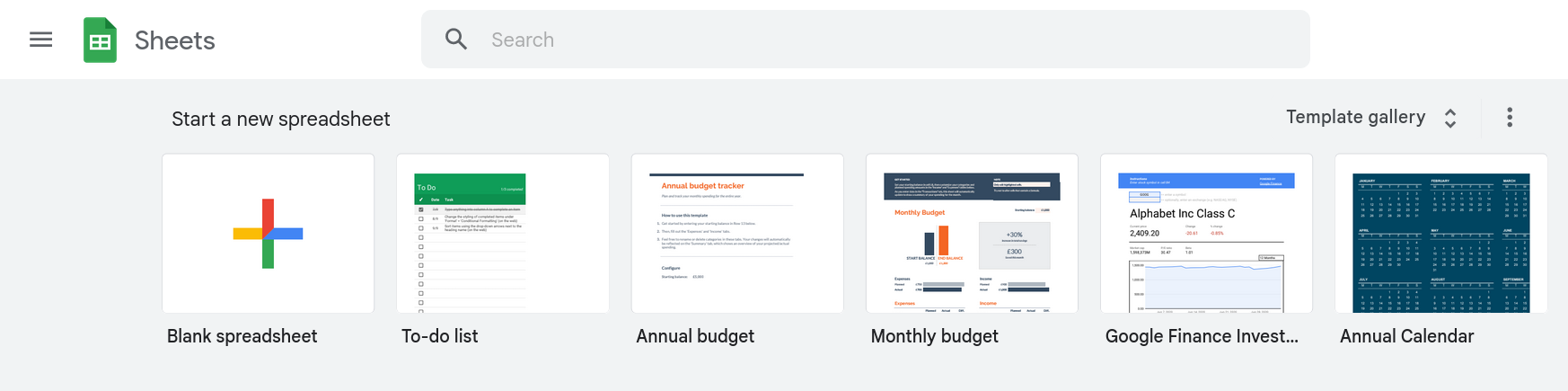
Click on the + icon and rename the spreadsheet name.

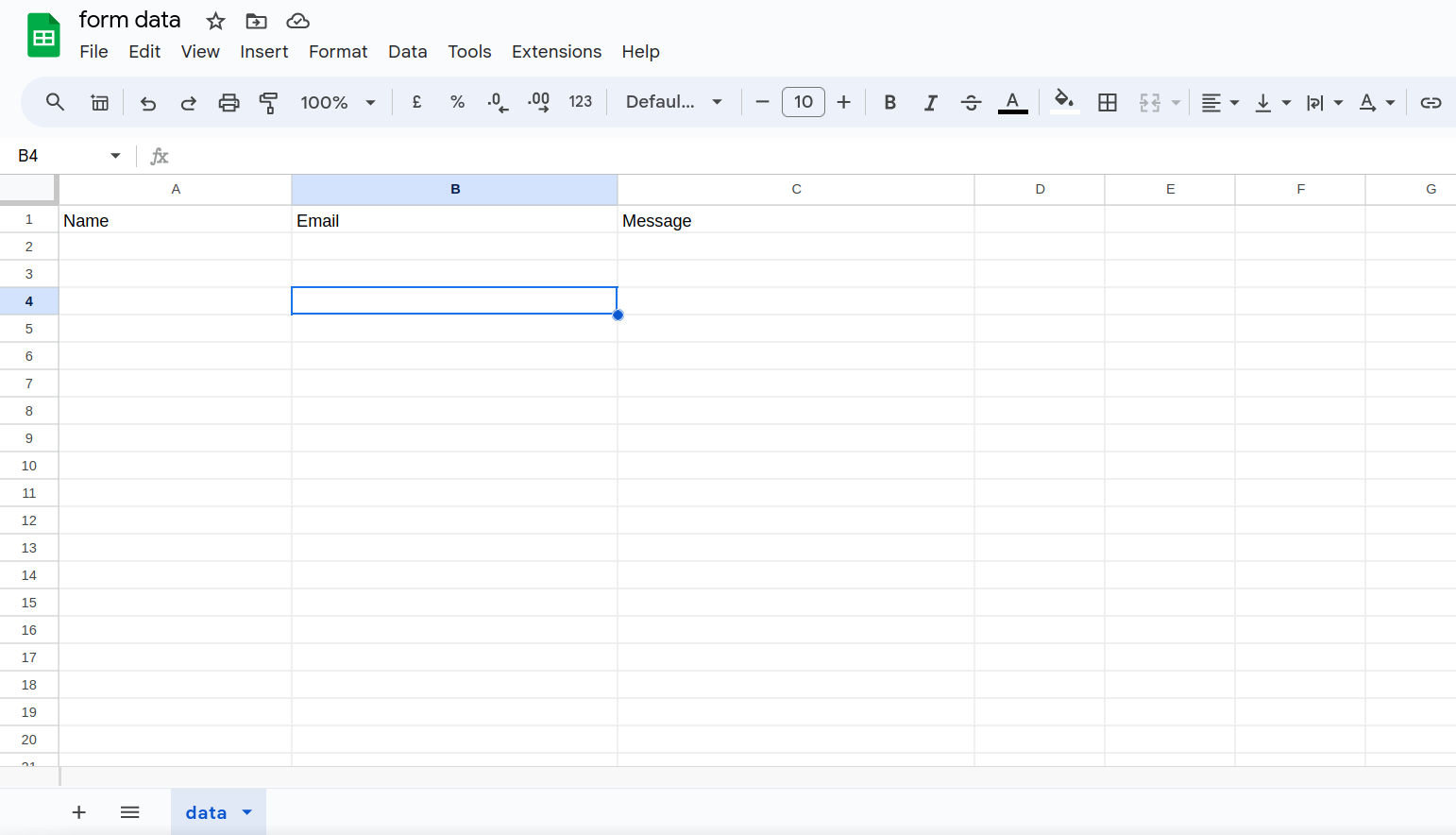
here I am naming the sheet as form data

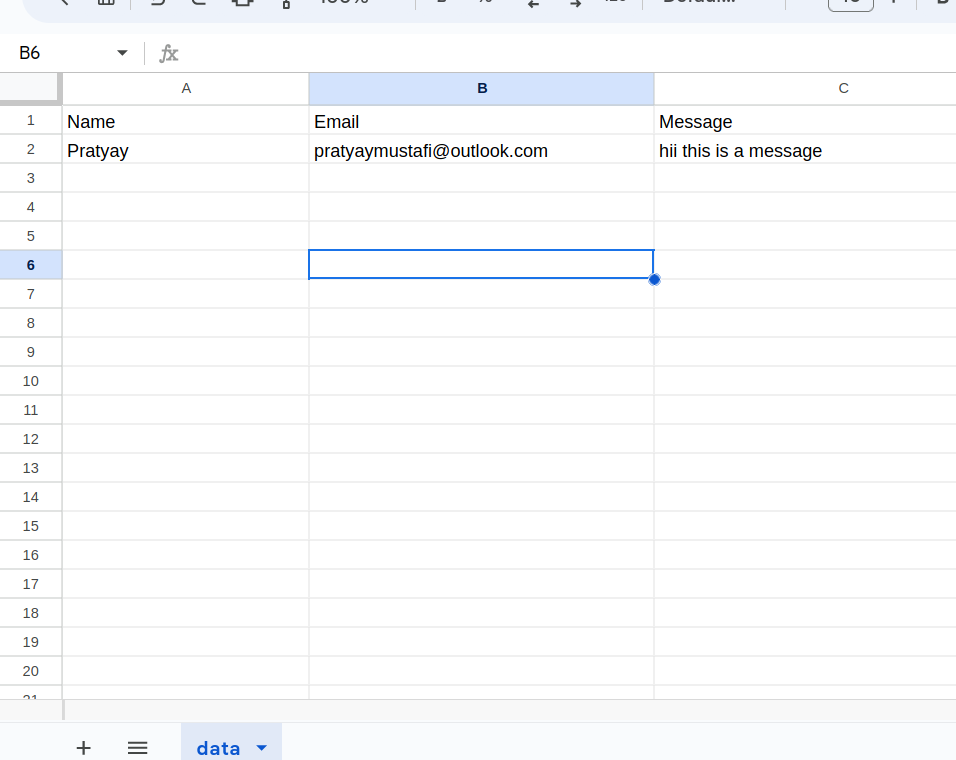
I am creating 3 columns Name , Email and Message

I have given my sheet name as data
Now to generate a restful api for the given sheet we have to click on Extensions -> Apps Script
If you are following me step by step then your sheet should be like
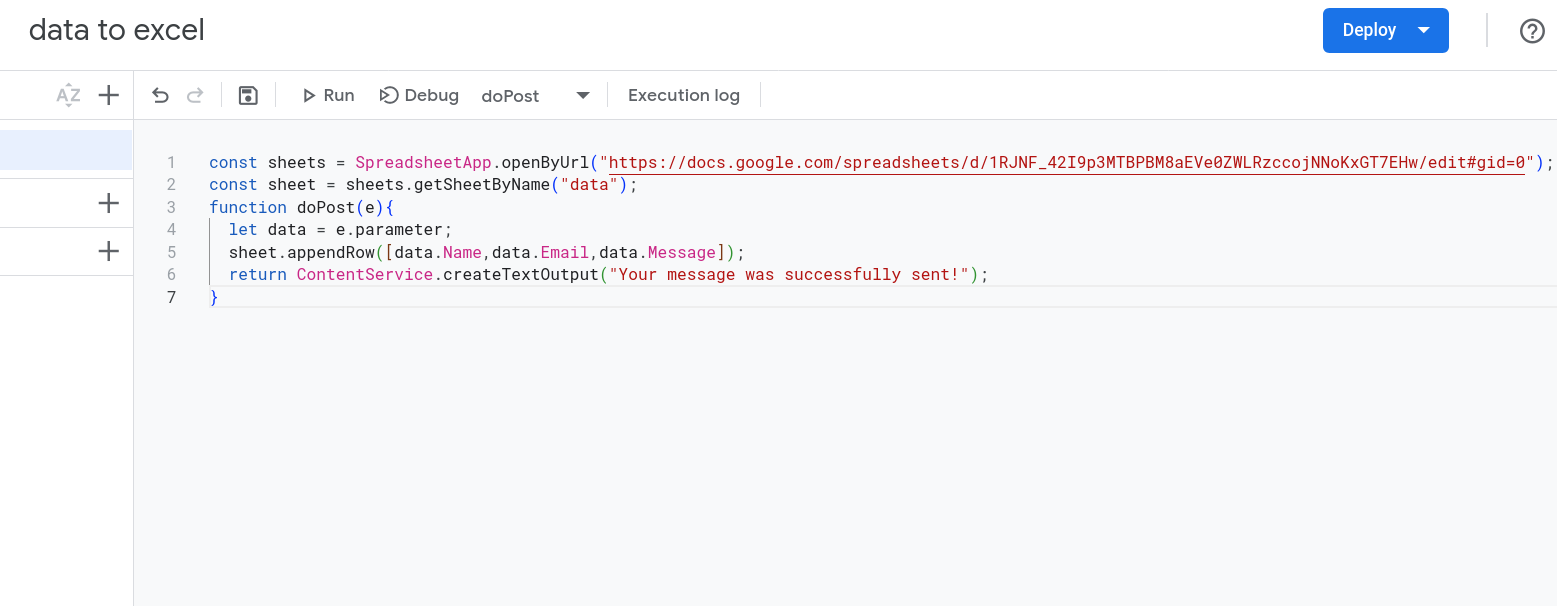
After opening Apps Script you should change the code with
const sheets = SpreadsheetApp.openByUrl("<Enter Spreadsheet url>");
like;
// const sheets = SpreadsheetApp.openByUrl("https://docs.google.com/spreadsheets/d/1RJNF_42I9p3MTBPBM8aEVe0ZWLRzccojNNoKxGT7EHw/edit#gid=0");
const sheet = sheets.getSheetByName("data");
function doPost(e) {
  let data = e.parameter;
  sheet.appendRow([data.Name, data.Email, data.Message]);
  return ContentService.createTextOutput("Message Sent!");
}
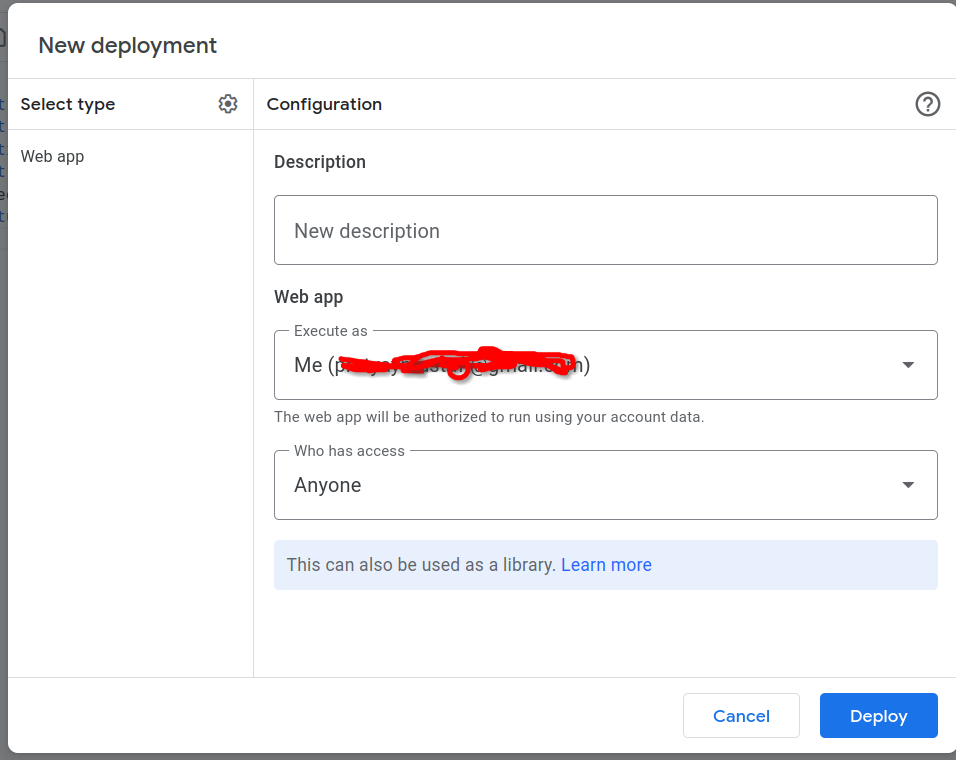
Now click on deploy
New Deployment -> Select Type (Web App) -> Then click Deploy
Make Sure to change access to anyone.
Don’t forget to copy the web app link We will be using it as theapiNow open your html project and add use the following syntax
"use client"
import React from "react";
import { hydrateRoot } from 'react-dom/client';
import { useEffect, useState } from 'react';
import { FormEvent } from 'react'
import { buildCustomRoute } from "next/dist/build";
export default function Home() {
    const [isClient, setIsClient] = useState(false);
    async function Submit(e: FormEvent<HTMLFormElement>) {
        e.preventDefault();
        const formData = new FormData(e.currentTarget);
        if (!formData.get("Name") || !formData.get("Email") || !formData.get("Message")) {
            alert("Please fill all the fields");
            return;
        }
        else {
            const res = await fetch(
                // Enter your link here
                "https://script.google.com/macros/s/S2$e@vgjgK5hpeS%6C7PS^LDJ8^6J9nV3nW7%ysPsPADhwYaA!kQMngE*EP%SZD*SbS3^g/exec",
                {
                    method: "POST",
                    body: formData
                })
                .then((response) => {
                    if (response.status === 200) {
                        const formElement = document.getElementById("form") as HTMLFormElement;
                        if (formElement) {
                            formElement.reset();
                        }
                    }
                    else {
                        alert("Something went wrong");
                    }
                })
                .catch((error) => {
                    console.error("Error:", error);
                });
        }
    }
    useEffect(() => {
        setIsClient(true);
    }, []);

    return (
        <>
            <h1 className="text-center items-center justify-center p-5 mt-7 top-36 tracking-[20px] text-gray-500 text-2xl lg:text-4xl font-bold">Message Me</h1>
            <section className="text-gray-300 body-font">
                <div className="container px-5 py-24 mx-auto">
                    <div className="flex flex-wrap -m-10 justify-center whitespace-break-spaces">
                        {/* Form Start Here  */}
                        <div>
                        {isClient ? (
                            <form id="form" className="flex flex-col space-y-5" onSubmit={(e) => Submit(e)}>
                                <label className="font-bold text-lg text-white " >Name</label>
                                <input type="text" name="Name" placeholder="Enter Name" className="border rounded-lg py-3 px-3 mt-2 bg-black border-indigo-600 placeholder-white-500 text-white" />
                                <label className="font-bold text-lg text-white">Email</label>
                                <input type="email" name="Email" id="email" placeholder="[email protected]" className="border rounded-lg py-3 px-3 mt-2 bg-black border-indigo-600 placeholder-white-500 text-white" />
                                <label className="font-bold text-lg text-white " >Message</label>
                                <input type="text" name="Message" placeholder="Enter Your Message" className="border rounded-lg py-3 px-3 mt-2 bg-black border-indigo-600 placeholder-white-500 text-white" />
                                <button className="border border-indigo-600 hover:bg-indigo-600 bg-black text-white rounded-lg py-3 )font-semibold px-2" type="submit">Send Message</button>
                            </form>) :
                            (
                                <p>Form not working properly Please report to [email protected]</p>
                            )}
                        </div>
                        {/* Form End */}
                    </div>
                </div>
            </section>

        </>
    );
}
Here I am using next.js you can use the same code with react
Here is the output of the code
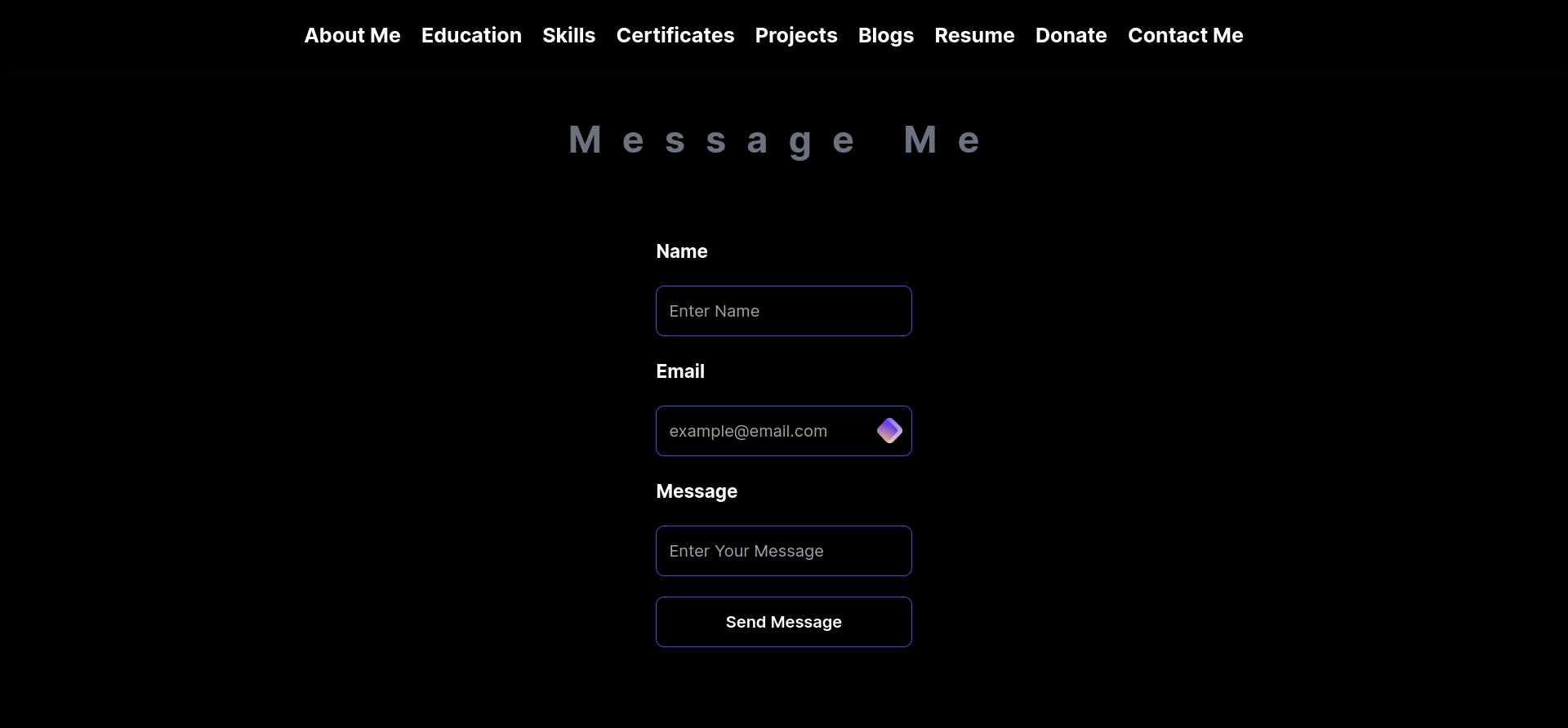
Here I am sending a dummy message just as an example
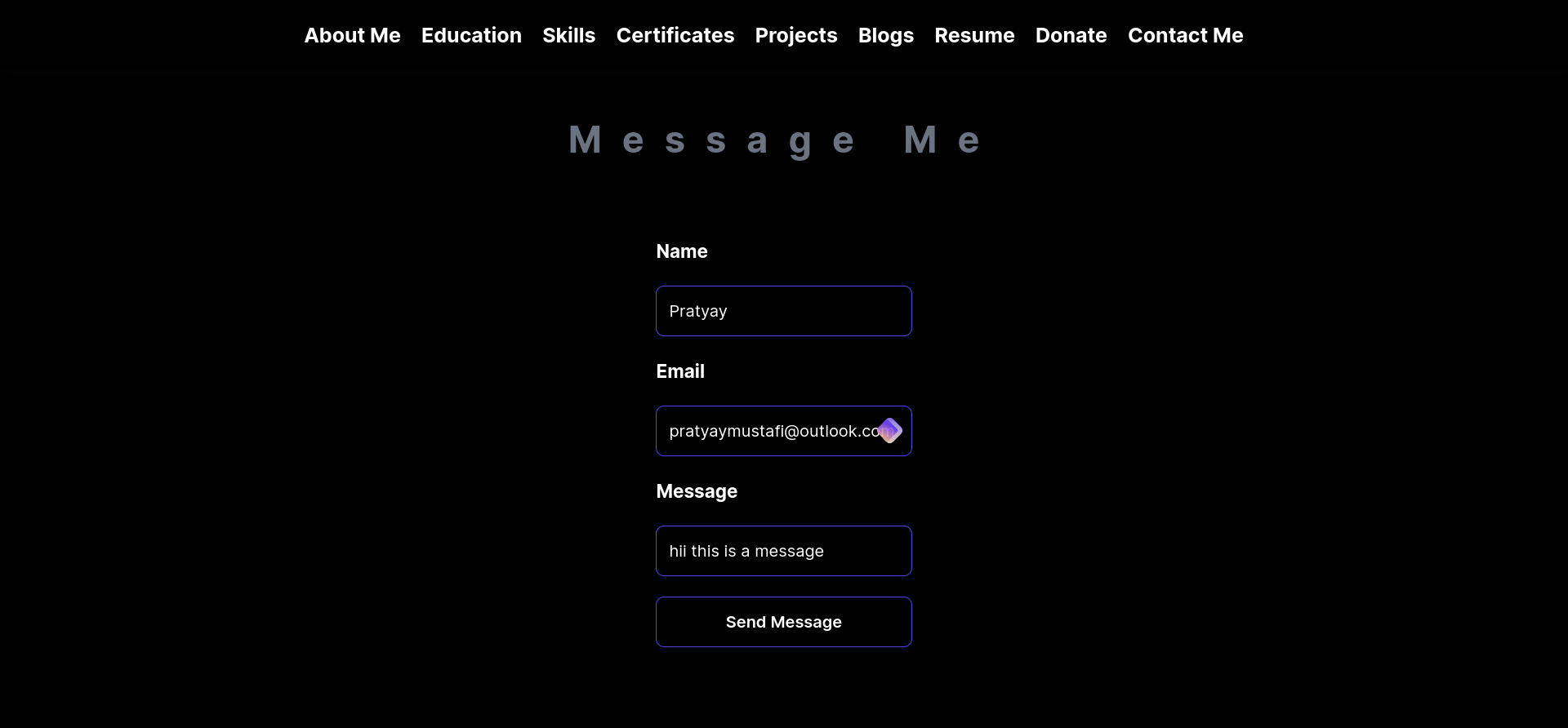
As you can see the in the form is inserted into the spread sheet.
Cons of using spreadsheet as database
- Increased Dependency on google’s api
- Less Scalability
- Not so professional as it’s no so safe to store users data in just a spreadsheet.
Pros
- Easy prototyping
- Can be used to make customized survey form
- Cost Effective
Have used codes of Anatu Tech partly here.
Happy coding :)